How might a Night Crew Management App help improve delivery issues?
Delivery issues create real impact, significant time is spent correcting inventory, driving $8.4M+ loss prevention business cases.
I joined the team as a full-time product designer for an application that helped Night Crew Managers’ manage workload from incoming deliveries.
My Role
UX Design Lead
Thoroughly understand the day-to-day of our users and others impacted by related processes and lead both design, testing, and future research to inform decisions and future enhancements.
Collaborators
- Product Manager
- Engineering Team
- Business Analyst
- UX/UI Designer
- UX Manager
Methods
- Product design
- Research planning
- Workflow and Process Mapping
- Interactive Prototyping
Platform
Android
Stakeholder & User Mapping
Who are impacted by or invested in inaccurate deliveries?
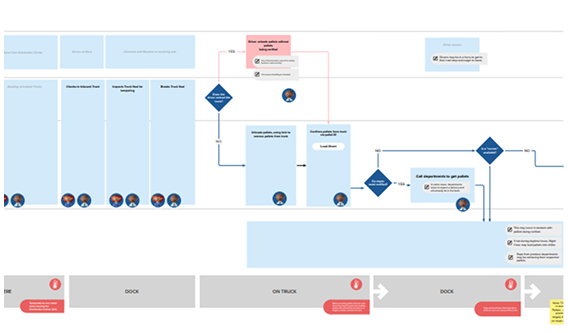
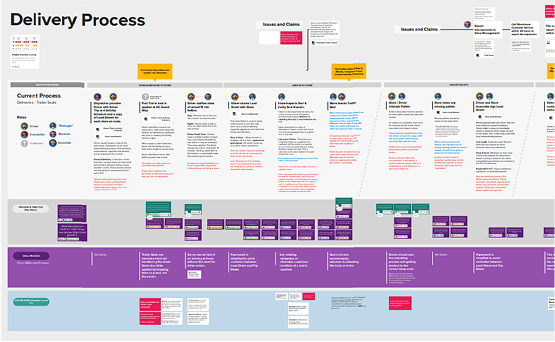
As I positioned myself on the team and received historic knowledge from the prior UX teammates and the product manager, I visualized who would be affected by delivery errors. This ensured we considered operational impacts across the store and involved the right stakeholders.
Through this process, we clearly noted that many varying roles impact the receipt of inventory and would potentially need to interact with the application. As a result, addressing this problem space would begin to redefine the purpose of the app and evolve early concept designs.
Key Research Findings
How did research shape the design?
Our solution should...
- support new user groups.
- not add time to the process.
- remain flexible to varying styles of working.
- reflect the categorizations of the user
Many New Users
Many different roles may contribute to the unloading of a truck depending on the time of delivery or available staff.
Timeline Restrictions
Drivers are on strict timelines, so the unloading process may need to occur quickly or in the absence of a driver.
Limited Devices
Devices may be limited in stores, so not all teammates may have a unique device available to them while they are working.
Differing Vocabulary
Distribution Centers, Drivers, and Department Managers each had different ways of categorizing product data and labeling products.
Design & Feedback
How might we refine?
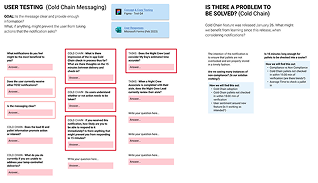
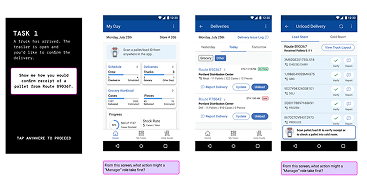
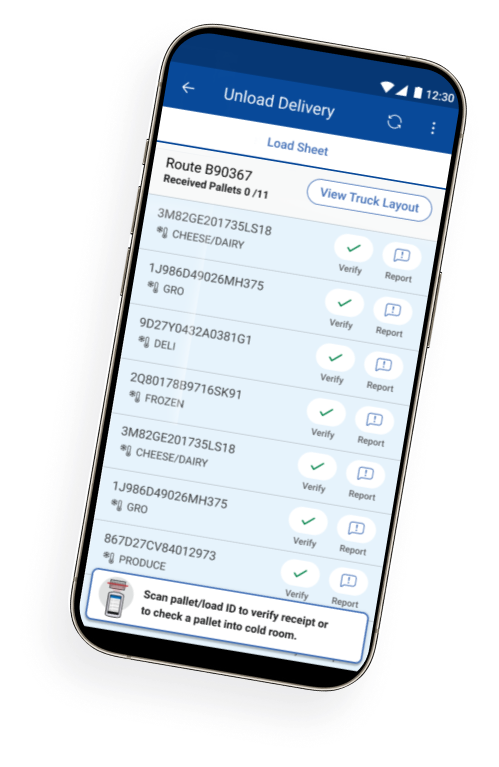
We refined the initial designs to support the fast, hands-on nature of unloading a trailer. While some roles needed detailed delivery information, others only needed to check in inventory quickly. The interface was intentionally focused on what was required in the moment, reducing distractions during physical work.
Information that previously lived across external sources was now centralized in the application for easy reference. Familiar artifacts informed the UI to help users orient quickly, with deeper details available on demand for those who needed them.
Results & Achievements
What changed because of this?
- The delivery-scanning solution surpassed forecasts with 90% enterprise-wide adoption and positive feedback from managers on its ease of use and fast onboarding.
- High adoption also surfaced an increase in reported discrepancies at distribution centers, exposing opportunities to improve the process. Drawing on interviews and process mapping, I championed future features that minimized associate burden and aligned with real workflows.
- This work established a foundation for enhancements to improve data accuracy, support adjacent tools, and generate metrics to guide broader loss prevention efforts.
Want to learn more about this project?
Contact me:
kristy.graybill @ gmail.com